The ZySurveys App Is Now on Google Play: Paid Surveys on Your Phone
Abdullah Al Noman, Project Head, ZySurveys · · 6 min read
Most surveys don't wait for you. A good one opens, fills its quota and closes, sometimes within the hour. If you only check when you're at a computer, you miss a lot of them.
That's why we built the ZySurveys app for Android, and it's now live on Google Play. About nine in ten US adults own a smartphone, according to the Pew Research Centerso the phone is where most people have a spare five minutes. This post covers what the app does, how to install it and what stays the same.
Want to start today? Join ZySurveys free.
What the ZySurveys app does
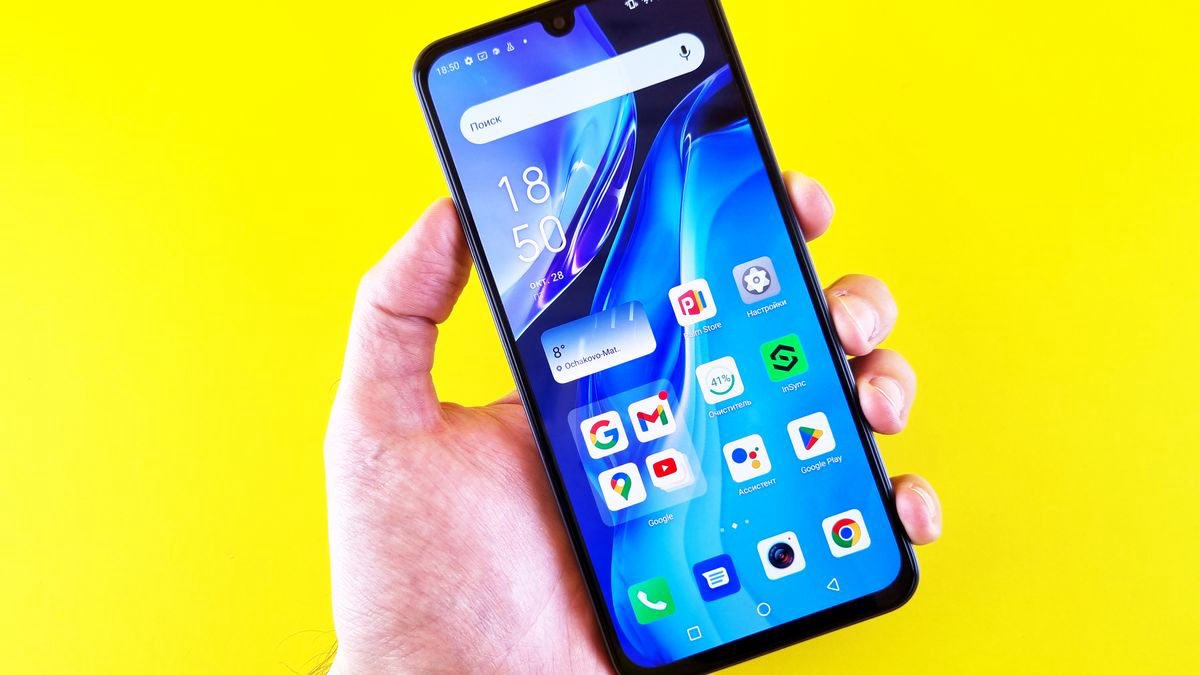
The app is ZySurveys built for your phone. You get the same account, the same balance in US dollars and the same partners that supply surveys, games and offers on the website. Anything you earn in the app shows on the website, and the other way round.
1. Survey alerts
Turn on notifications and the app tells you when new surveys are ready on your account and when a reward lands. You don't have to keep opening the site to check. You can switch the alerts off at any time in your account settings.
Best for: anyone who has lost a survey because it closed before they got to it.
2. Surveys, games and offers in one place
Surveys, games and offerwalls sit in the same tabs as on the website, laid out for a small screen. Game offers are often made for phones anyway, so the app is a natural place for them. If you're new to them, our guide to games that pay real money explains how they work.
Best for: members who mix short surveys with game offers.
3. Your level, streak and prizes
Your level, daily streak and prize draw are on the home screen, as on the website. Nothing resets when you switch devices.
Best for: regular members who don't want to lose progress.
How to install the ZySurveys app
It takes about a minute:
- On your Android phone, open the ZySurveys app page and tap the Google Play badge, or search for ZySurveys in the Play Store.
- Tap Install. The app is free.
- Open it and sign in with the account you already use on the website. If you're new, create a free account in the app.
- Allow notifications when the app asks, so you get survey alerts.
On a computer, the ZySurveys home page and the app page show a QR code. Point your phone's camera at it and it opens the Play Store listing.
Only install the app from Google Play. We don't send the app as a file by email, chat or text, and a copy from anywhere else isn't ours.
One account on the app and the website

You don't need a second account, and you shouldn't make one. One person, one account is a rule on every survey site, and a duplicate account gets closed. Sign in to the app with your existing details and everything is already there.
That includes your profile survey. The profile survey is answered once and can't be edited later, so there's nothing to fill in again on your phone. Your matches stay the same.
You can use both whenever you like. Some members take longer surveys on a laptop in the evening and short ones on the phone during the day. If you want to know more about how matching works, read how ZySurveys works.
Taking surveys on your phone: what to expect

The app makes surveys easier to reach. It doesn't change what surveys pay or who they're for. A few honest points:
- Screen-outs still happen. A survey looks for a specific group, and if your answers don't fit, it ends early. Our guide on why you keep getting disqualified from surveys explains why and what helps.
- Some surveys suit a bigger screen. Long surveys with grids or videos can be easier on a computer. If one feels awkward on the phone, the website is right there.
- Availability depends on you. What you see depends on your profile and your country, so two members can see different lists on the same day.
- Use a steady connection. A survey that drops halfway may not record your answers. Wi-Fi or a good signal helps.
None of this is new, but it matters more when you're taking surveys on the move.
Cashing out from the app
Cash-outs work the same way in the app. Your first withdrawal is from $5, and after that the minimum is $3, with no payout fee on PayPal, Wise or Revolut where they're available in your country. Gift cards are on the same Redeem page.
Balances are kept in US dollars. If you live outside the US, you see your balance and rewards in your own currency at the day's exchange rate.
Withdrawals are reviewed before they're sent. Our post on how long survey payouts take explains what happens between your request and the money arriving.
Is the ZySurveys app safe to use?
The app is made by the same team that runs ZySurveys, Zyvara Technologies LLC. It signs in to the same account as the website, so the same checks protect your balance and your withdrawals.
A few habits keep your account safe:
- Install from Google Play only, and keep the app updated.
- Never share your password or a sign-in code with anyone, including someone who says they're from ZySurveys. We never ask for them.
- Be careful with links in messages that promise a bonus for downloading an app. Get to us through Google Play or by typing zysurveys.com yourself.
If you want the full picture of how we run, read is ZySurveys legit.
Who should use the app
The app suits you if you're out most of the day, if you've missed surveys because you saw them too late, or if you already do most things on your phone. It's free, so there's little reason not to try it.
If you're comparing earning apps in general, our guide to mobile apps to earn money covers the main types and what each pays. You can also see what's available for paid surveys in the US and paid surveys in the UK.
Conclusion
The ZySurveys app puts your surveys, games, balance and cash-outs on your Android phone, with alerts so you catch new surveys sooner. It uses the account you already have, and the website keeps working exactly as before. iPhone users can keep using zysurveys.com in the browser.
Ready to try it? Get the ZySurveys app or join ZySurveys free.
Frequently asked questions
Is the ZySurveys app free?
Yes. The app is free to download from Google Play and free to use. You never pay to take surveys or to cash out with PayPal, Wise or Revolut.
Is there a ZySurveys app for iPhone?
Not yet. On iPhone and iPad, use zysurveys.com in Safari or any browser. It's the same account, so you lose nothing.
Do I need a new account for the app?
No. Sign in with the account you use on the website. Your balance, level, streak and history are already there. Making a second account breaks the one-account rule and gets it closed.
Can I use the app and the website at the same time?
Yes. They share one account and one balance. You can start on your phone and carry on on your computer whenever you like.
Start earning with ZySurveys
- Paid surveys in the United States
- Paid surveys in the United Kingdom
- How ZySurveys works
- Questions about getting paid
zysurveys app, paid survey app for android, survey app that pays, earn money on your phone, google play survey app
Related Articles
- Survey Sites vs Game Apps: Which Pays More for Your Time?
- Is ZySurveys Legit? An Honest Look at How It Works and Pays
- Real USD vs. Points Systems: Why It Matters for Survey Rewards
- Why ZySurveys? What Makes This Survey Site Different
- Mistplay App Review 2026: How It Works and a Way to Get Paid in Cash
- Mobile Apps to Earn Money: 8 Types That Actually Pay in 2026
- Paid Surveys for Cash: How to Get Real Money, Not Points (2026)
- ZySurveys in India: How It Works and How You Get Paid
- ZySurveys in Mexico: How It Works and How You Get Paid
- ZySurveys in Brazil: How It Works and How You Get Paid